The Quiet Work of Software Updates
Software updates moved from boxed releases to network delivery. Learn how that shift changed maintenance, security decisions, and the role of users.
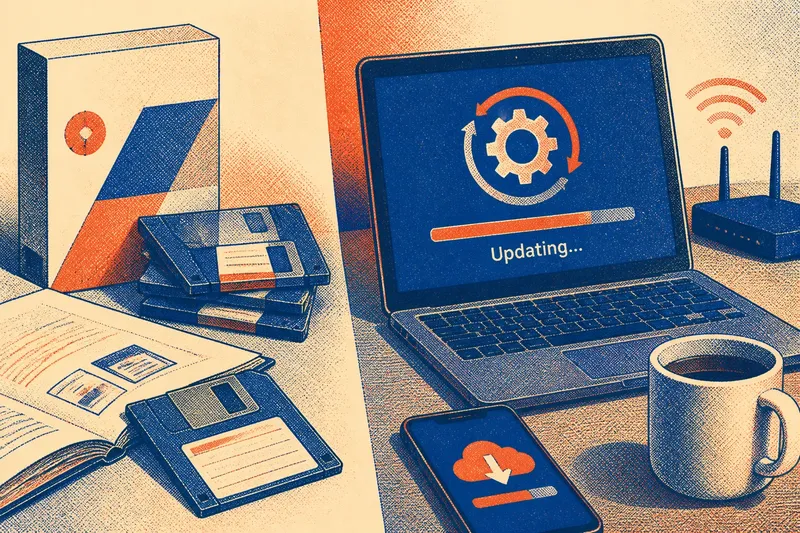
Software updates now arrive while people work, sleep, or open an app, but that quiet delivery grew out of a very different routine: buying or receiving a packaged release and installing it by hand. To understand software updates, follow the path from the old delivery package to the networked service—and notice how each shift changed who maintained software, when changes appeared, and what users had to decide.
What did an update look like before networks?
For much of personal computing’s early life, software arrived as a product. A user might buy a box containing disks, load the program onto a computer, and keep using that version until a new edition became available. Organizations also distributed programs through physical media or local systems, with staff overseeing installation across machines.
This arrangement made an update a distinct event. A publisher prepared a new release, packaged it, and sent it through shops, mail, or an organization’s own distribution process. Users could decide whether to install it, but the decision might involve replacing a working program, learning a changed interface, or checking that the computer met the new release’s requirements.
There was a practical reason to bundle changes together. Producing and distributing a package took coordination, and users could not be expected to receive a small correction whenever a developer made one. Instead, improvements accumulated until a publisher had a release worth shipping. That made versions easy to identify, but it could leave a known defect in place while the next package was being prepared.
Imagine a small office using a word processor installed from disks. If a formatting defect disrupted a shared document, the office might contact the vendor, wait for a corrected release, then arrange a visit or schedule a staff member to install it. The visible work belonged to the office as much as to the software maker.
Why did software move onto networks?
As computers gained reliable network connections, companies could distribute files and corrections without sending physical media. Early online delivery still asked users to find a download, save it, and run an installer. That was a meaningful change, but it did not yet make updating effortless: people needed to know a new version existed and decide what to do with it.
Network delivery shortened the distance between a developer’s change and a user’s machine. A vendor could publish a correction for a particular problem rather than wait for every change to fit into a large new edition. Software could also check for a newer release, show a notification, and offer an installation path from within the program itself.
That shift altered the economics and expectations of software. A packaged release was a thing a customer acquired; networked software increasingly behaved like a service that its maker continued to maintain. The distinction is not absolute—many programs still have numbered editions, and some connected services change without a traditional installation—but ongoing maintenance became a normal part of ownership and use.
Connection alone did not settle the question of timing. A large download could interrupt work, and an update might require the application to close or the computer to restart. Vendors therefore developed ways to stage downloads, notify users, and install changes when a device was idle or restarted. The delivery channel became quieter, but it also moved choices into settings and defaults.
How did updates become more frequent?
Once a program could receive changes online, publishers had less reason to hold every correction for a major release. They could make smaller changes more often: a defect fix, a compatibility adjustment, a security correction, or a new feature. Users might see a short notification rather than a new box on a store shelf.
Smaller releases can make individual changes easier to manage, but frequent delivery also reshapes expectations. Users may assume that a familiar application is still changing beneath its familiar name. Developers, in turn, take on continuing work: maintaining current versions, deciding which devices receive a change, and helping people whose software is out of date or temporarily offline.
Updates also became layered. A computer’s operating system, browser, app store, security tools, and individual applications may each have separate update mechanisms. A phone can receive a system update from its manufacturer or carrier while apps arrive through a store. A desktop program may update itself directly. These channels can overlap, but they are not interchangeable: a correction to an app does not necessarily change the operating system it runs on.
For the user, this means a notification is a clue about a particular component, not a general statement that the whole device is current. The update screen, publisher name, and release notes can help identify what is changing. If a message appears outside the software’s usual settings or trusted store, treat it cautiously and open the update controls through the device or app instead.
What decisions still belong to users?
Automatic updates reduce the burden of remembering, especially for routine maintenance. They can also arrive at an inconvenient moment or alter a feature someone relies on. The useful question is not simply whether automatic updating is good or bad; it is which software should update quietly, and which changes deserve a pause for review.
For a personal device, many users prefer automatic installation for ordinary security and maintenance updates, paired with notifications about major system changes. A work computer may follow a schedule set by an organization, since compatibility with specialized tools matters. A device that controls equipment or supports an essential task may need a more deliberate process, with its responsible administrator involved.
Say you rely on a desktop accounting application that receives updates through its own settings panel. You notice a prompt during a busy work session. Instead of clicking the notification immediately, you open the app’s update page, check the publisher and change notes, save your work, and choose a suitable time. The observable result is a planned interruption rather than an unexpected closure; the update itself remains the publisher’s package, not something improvised by the user.
Before postponing a change, consider what kind of update it is and whether the device can stay connected and powered during installation. A security correction may address a current weakness; a feature release may be more about changed behavior or new tools. Release notes are not always complete, but they can reveal whether an update affects a feature, compatibility, or restart requirement.
- Identify the software: Check the app or system name and the publisher shown in its normal update settings.
- Check the source: Prefer the operating system’s update panel, the app’s built-in controls, or its recognized store.
- Read the change description: Look for security fixes, compatibility notes, changed features, and any restart request.
- Choose a workable time: Save open work and avoid beginning an installation when the device is needed immediately.
- Review the policy: On a managed work device, follow the organization’s update schedule rather than overriding it.
Where an update’s effect depends on the device maker’s instructions or an organization’s rules, follow those directions. The basic decision remains straightforward: identify the source, understand the kind of change as far as the notes allow, and choose a time that fits the task.
What do readers often ask about software updates?
Why do updates arrive at different times?
Vendors may release changes in stages, support different device models, or coordinate with app stores and network operators. A delay does not necessarily mean a device has been overlooked; check its own update screen for availability and status.
What is the difference between an update and an upgrade?
People often use the words interchangeably, but an update commonly means a maintenance or feature change within an existing product, while an upgrade can suggest a larger edition or move to a newer major version. The publisher’s labels and release notes matter more than the word alone.
Can an update change how an app works?
Yes. A release can alter menus, add or remove features, or change how the app interacts with other software. If a familiar task is affected, consult the app’s help information or release notes before changing settings blindly.
Should an update be installed immediately?
There is no single timing rule for every device and change. Consider whether the update addresses security, whether the device is managed, and whether the installation could interrupt important work; if it is an essential work system, ask its administrator.
Why does this quiet maintenance matter?
Network delivery did more than speed up distribution. It shifted software from a product that might be revisited at the next edition to something that could be continually adjusted after installation. That brought corrections closer to users, while making maintenance an ongoing relationship among developers, device makers, organizations, and the people who depend on the software.
The change can be hard to see because a successful update often leaves no dramatic trace. A familiar screen opens; a task proceeds; a correction stays in the background. Yet someone has prepared the release, chosen its distribution path, and decided how much control users receive over timing. The quietness is designed, not automatic.
When you next see an update notice, treat it as a small piece of public infrastructure at work: software is being maintained across many devices without a new package passing through your hands. Checking the source and choosing a sensible moment keeps that convenience legible, while a glance at the release notes reminds you that “current” is a continuing condition, not a version frozen in a box.